Organise every client project as a structured, handover-ready case
Sources in Dropbox, correspondence in email, notes in a notebook. Herarx gives each project one workspace for sources, contacts, findings and correspondence.
Clients and sources as contacts, with private notes
Template tabs:Scope · Deliverables · Sources · Time & fees
What a workstream holds,tab by tab
Start from a template, then rename a tab, add a field or remove one. Everything below comes with the template.
Consulting and research template
Workstream
A workstream or deliverable: scope, deliverables, sources, and time and fees.
Overview
Scope
Deliverables
Sources
Time & fees
Type
Research
Methodology
Mixed methods
Readout date
2026-11-20Warns 14 days ahead
Deliverables
4
Delivered
1
Sources
18
Verified (A-grade)
11
Billable days
9.5
Workstream value
8,550.00
Deliverables are still outstanding.
A client engagement in Herarx
One case per projectOpen a case the moment a new engagement starts. Set the scope, importance, and status. Everything for this project lives here.
Attach all source materialReports, data, reference documents, deliverables — uploaded to the case, encrypted at rest, organised and searchable.
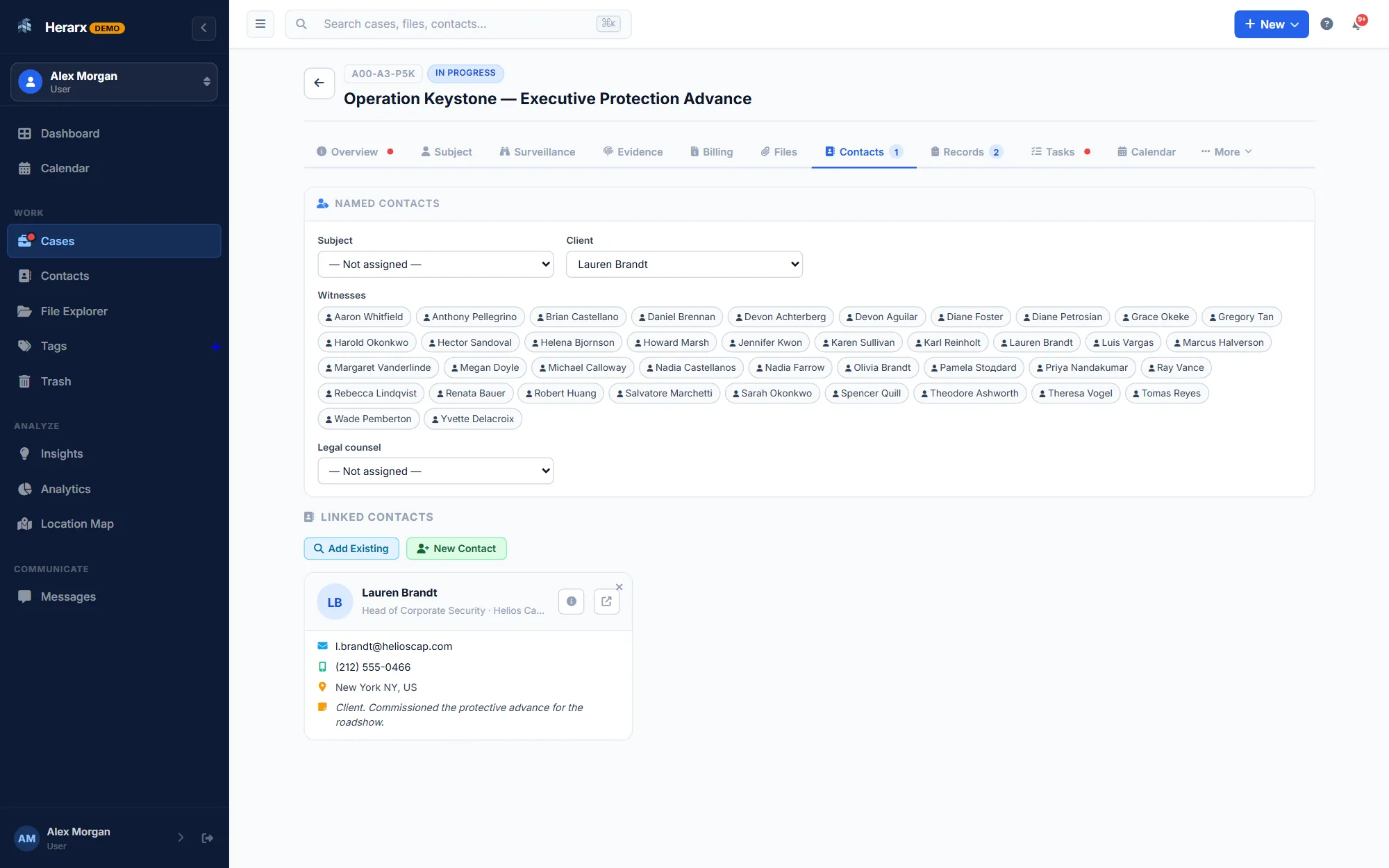
Log clients & stakeholdersAdd the client, subject-matter contacts, and any third-party sources as contacts attached to the case with private notes for each.
Record findings as you goDated notes, interim findings, key decisions — logged in the case timeline as work progresses. Nothing relies on memory at report-writing time.
Hand off cleanlyShare the complete project record — or specific deliverables — with the client via a secure portal link. Or export and close. Everything is already organised.
Dates that warn you
The readout date warns you 14 days ahead and adds a task, and each deliverable’s due date warns you too.
Warnings on the workstream
A banner tells you when the readout date has passed or deliverables are still outstanding.
Sources you can grade
Each source with its type, date, an A to C reliability grade and a verified flag.
Time and fees
A time log by person, days and rate, expenses, and the workstream’s value, with a timer for desk time.
Also in the template library:Client engagement (rolls up its workstreams and fees) · Research project (funder, ethics, milestones and budget)How templates work →
Scattered project files meana painful handover every time
The last day of an engagement shouldn't be spent reconstructing where everything is.
Without Herarx
Source files in Dropbox, findings in Docs, contacts in your phone
Client correspondence buried across multiple email threads
No clear record of what was done, decided, or delivered and when
Handover means manually pulling together files from everywhere
Closing a project leaves no organised record to look back on
With Herarx
All sources, deliverables, and notes in one case record
Client contacts and correspondence context attached to the project
A dated timeline of work, decisions, and findings built as you go
Handover is a portal link or export — the record is already complete
Closed cases become a searchable archive of past work
Everything a researcher or consultantactually needs
Not a heavyweight project tool. Not a generic cloud drive. A lightweight, structured workspace that matches how project work actually runs.
One case per engagement
Each client project is a structured case with title, scope, status, importance, contacts, files, tasks, and a notes timeline. Everything organised from day one — not scrambled at close.
Source & deliverable storage
Upload source documents, data files, draft and final deliverables directly to the case. All encrypted at rest. Per-file access controls let you share selectively with clients or collaborators.
Client & stakeholder contacts
Add the client, subject contacts, and third-party sources as contacts on the project with email, phone, and private notes for each. Contacts can appear across multiple projects.
Findings & notes timeline
Log interim findings, key decisions, and meeting notes as dated entries on the case. By the time you write the final report, the raw material is already organised and chronological.
Task & milestone tracking
Create tasks per project with due dates, priorities, and assignment. The SLA dashboard shows what's overdue and what's due soon across all your active engagements at a glance.
Project location maps
Pin a physical address to any project — useful for field research, site assessments, or geographically scoped work. View all your projects on a live map filtered by status.
Secure client sharing
Share specific deliverables or the complete project record with the client via a secure, expiring portal link. They see exactly what you choose to share — nothing more, nothing less.
Tags & categorisation
Tag projects by client, topic, sector, or methodology. Search and filter across your full project archive. Analytics show patterns across your caseload over time.
Full-text search across all projects
Search across case names, notes, contacts, and tags in one query. Find a past finding, a client contact, or a project document without remembering exactly where it was filed.
From briefto handover
A four-step structure that keeps every engagement organised from day one and ready to close cleanly.
Open the project case
Create a case as soon as the engagement is confirmed. Add the client as a contact, set the scope and importance, create initial tasks for key deliverables and deadlines.
Gather & organise as you work
Upload source material as you collect it, log findings and meeting notes as dated timeline entries. Everything accumulates in one place rather than across apps.
Collaborate & track milestones
If working with a team, invite collaborators with the access they need. Track deliverable tasks, upcoming deadlines, and in-progress items from the dashboard.
Hand off & close
Share the final deliverables — or the complete project record — via a secure portal link. Close the case. It becomes a searchable archive entry, not a folder you'll never find again.
Share with clients,only what you choose
Clients and other people outside your team see the documents you pick. They never see your workspace or your other cases.
On Premium and Max
Client portal
Share chosen documents through a secure link that expires. No account needed. Clients can upload what you ask for, and every view is recorded on the case.
Send a document on the case for signature. The client confirms a code sent to their email and signs from their phone. The signed copy comes back to the case.
Upload the PDF, or type the code printed next to its QR code, to see that the signature is intact and the file unchanged. No account needed, and the file isn't kept.
What's a good tool for organising research or consulting projects?
The best tools for research and consulting work keep all source material, client contacts, notes, and deliverables attached to the project — not scattered across Dropbox, email, and notebooks. Herarx does this by treating each engagement as a case: one workspace per project, with files, contacts, tasks, a dated findings timeline, and a clean handover mechanism built in.
Can I share project deliverables securely with a client?
Yes. Generate a secure portal link for specific files or the full case. The link can expire, the client sees only what you share, and access is logged — so you know when they opened it without emailing attachments you can't control.
Can I manage multiple client projects at the same time?
Yes — each project is its own case, and the dashboard, analytics, and task view give you a portfolio-wide read. See which engagements are active, which tasks are overdue, and where your workload sits across all active projects at once.
Is my client's data kept separate from other projects?
Yes. Each project is its own case with its own access controls. If you work with a team, you can invite collaborators to specific projects without them having access to others. All files are encrypted at rest and stored on separate infrastructure from the database.
Is Herarx free for solo researchers and consultants?
Yes — there's a free tier, which covers everything a solo practitioner needs. Paid plans add team features for collaborative work. Encryption, 2FA, and the audit trail are included on every plan.
By using this site you agree to our use of cookies for analytics and advertising.We use cookies for analytics and advertising. You can accept or reject these.See ourPrivacy PolicyandTerms of Use.